Free AI video editor.
For your AI agent.
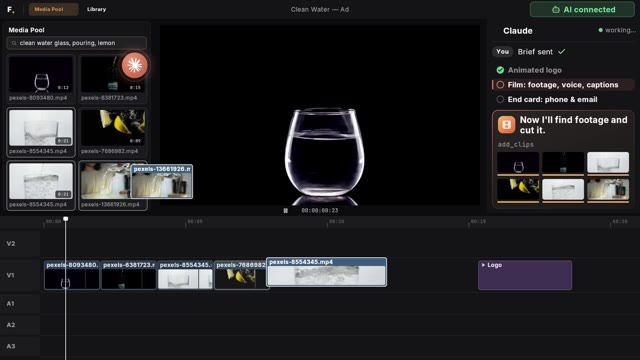
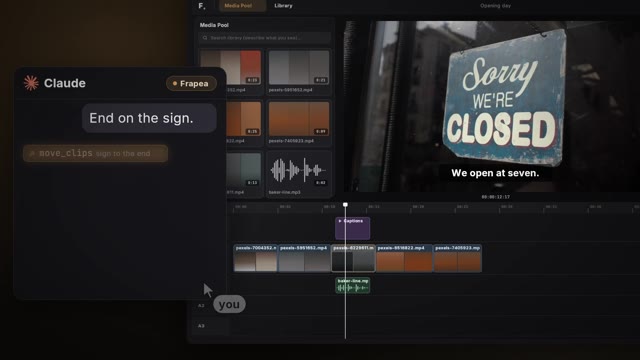
Describe the video you want to the AI you already use. Frapea makes the cut — a real timeline you can still take apart, not a rendered file you have to accept.
Chrome, Edge, Brave & Opera · Windows · macOS · Linux · ChromeOS
clip_001.mp4
clip_003.mp4
clip_004.mp4
clip_006.mp4
clip_001.mp4
clip_003.mp4
clip_004.mp4
clip_006.mp4
clip_007.mp4
clip_009.mp4
clip_010.mp4
clip_012.mp4
clip_007.mp4
clip_009.mp4
clip_010.mp4
clip_012.mp4See it work
One brief. 10 calls. A cut.
Connect Claude, Cursor or any MCP-capable agent and hand it the boring eighty percent — logging, assembly, cleanup, captions — while you make the decisions that matter.
$ claude mcp add -s user --transport http frapea
✓ paired — 59 editing tools available
>Cut a 30s teaser from the Cebu footage. Drop the silences, put the drone shot earlier, dissolve into it.
●read_skill core, then montage
●add_clips four shots and their audio
●split_clips blades where the talking stops
●remove_silence −7s of dead air, gap closed
●move_clips the drone shot, pulled forward
●move_clips dropped at 00:15.6 — the tail follows
●manage_transitions a dissolve on the cut
●generate_captions timed to the word
●create_motion_composition the opener, written as code
●inspect_timeline rendered its own frames and checked them
✓ done — one undo step if you disagree with any of it


How it works
Footage in. A cut you can still take apart.
- 01
Point it at your footage
Open a tab and connect a folder. No import step, no transcode, no waiting — the file you point at is the file it cuts.
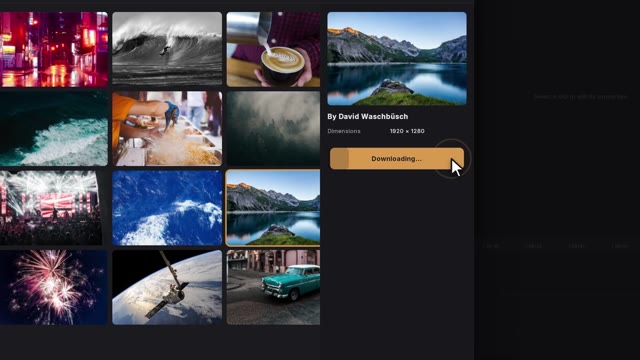
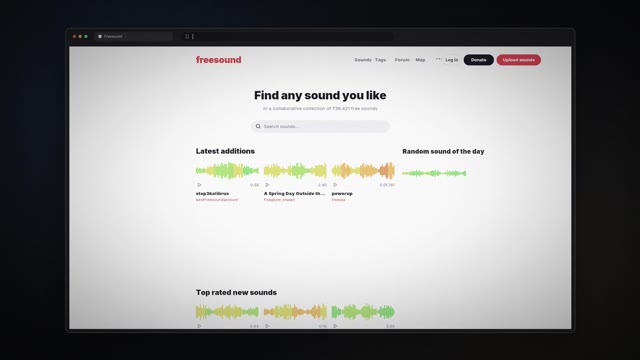
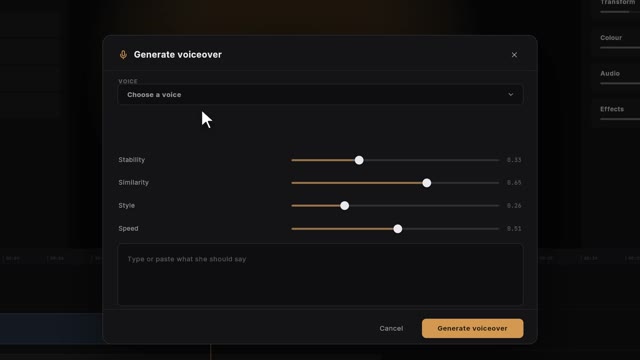
Or let the agent source the material: stock footage, sound effects and narration, fetched into the project for you.
- 02
Say what the video is
One sentence to the agent you already use. It reads the craft guides for that format first, then works the timeline in front of you, clip by clip.
“A thirty-second teaser from the Cebu footage — cut the silences, caption it, and give it a bold opener.”
- 03
Take it apart if you disagree
What comes back is a real timeline, not a rendered file. Every cut, caption and title is yours to move, retime or delete — and every step the agent took is one undo away.
Export when you like it: MP4 or WebM, up to 4K, with subtitle sidecars.
Not just tools
An engine that knows how to cut.
Handing an agent an API gets you something that compiles and looks made by a machine. Frapea hands it the craft as well — the guides an editor would have learned, read at the start of every session, before a single clip moves.
It knows the difference between formats
A podcast is not a montage at a different length. Before it cuts, the agent reads the guide for the thing you actually asked for — where to hold, where to breathe, when to stay on a face instead of following the voice.
It knows what makes an edit look automatic
Every shot the same length. A cut to whoever starts talking. Music flat under everything. Those are the tells, they are written down, and the agent is taught to avoid them before it is allowed near your timeline.
It checks its own work
Before it tells you it is finished, it renders frames of the cut and looks at them — the caption that overflowed, the title that landed late, the shot that was black. Reading a project file cannot catch any of that.
It knows when to stop and ask
Given four words of brief it will source the footage, score it and deliver. Given four words where the style genuinely matters, it asks you three questions first — and takes “you choose” for an answer.
None of it is new to an editor. All of it is new to the machine doing the cutting, and it is the whole distance between an assembly and an edit.
The flagship
Motion graphics that are actually editable.
Other editors give you baked template overlays. Frapea gives you living compositions — animations you can reshape with simple controls, real code, or a single sentence to your AI — and they live in the same timeline as the cut, not rendered somewhere else and imported.
A native clip type
Motion titles, lower thirds and full animated sequences drop onto the timeline like any other clip — trim them, stack them, keyframe them.
Springs, not slideshows
Real animation primitives — spring physics, interpolation curves, sequences — power every composition. Not canned template GIFs.
Your agent can write them
Ask for “a bold tier-list opener in the brand colors” and the AI authors the composition — then you keep editing it visually. It stays yours.
The composition running as it does on the timeline — every word on its own spring, the rule drawing, the chips landing in turn.
The briefs
This is what people
actually say to it.
Not prompts engineered for a demo — sentences somebody would type at eleven at night with an hour of footage and a deadline. Each one opens onto the tools it becomes, in order.
All 7 briefsA serious NLE
There is a real editor underneath.
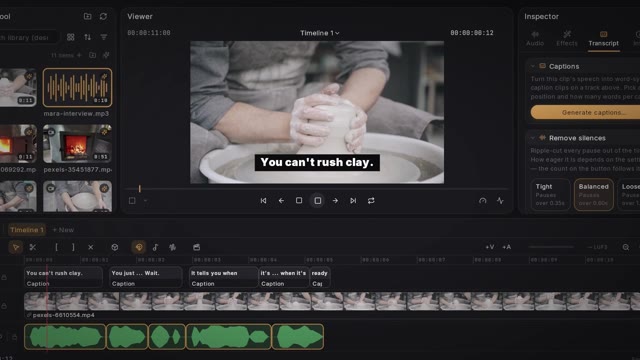
Frapea isn't a trimmer in a webpage. Everything a desktop editor has is here and all of it is where you expect it, so an agent's cut opens as an ordinary project you can take apart. These three are the ones you probably can't do today.

Cut by reading, not scrubbing
Delete a sentence from the transcript and the picture goes with it. Strip every silence and filler word across an hour of talking head in one move.
It knows who is in the shot
One pass finds every face and follows each one — position, size, which way the head is turned. Stick a label or a blur to somebody and it stays there.
Multicam, without the ceremony
Sync by audio, then switch angle at the playhead. The agent can do it too, which is the difference between a feature and an afternoon.
The rest of the editor is written out on one page.
Where this goes
An editor you can hand a brief to.
Frapea is being built towards an editor that takes a brief and gives back a finished video — not by generating footage, but by cutting real material properly. It is not there yet. The craft guides are the honest measure of the distance: what the agent has been taught, it does; what it has not, it asks about.
Free while it is being built. That will change, and this page will say so before it does.
FAQ
Fair questions.
The six we are actually asked. If yours is not here, the tools reference answers most of the rest.
Which browsers does Frapea run in?
Desktop Chromium browsers — Chrome, Edge, Brave and Opera — on Windows, macOS, Linux and ChromeOS. The blocker is the File System Access API: Frapea reads and writes your project folder directly, and that one API is still Chromium-only. Editing is desktop-only for now.
What do I need before I can start?
A Chromium browser and a folder of footage. There is no installer and no sign-up, and nothing to upload — you point Frapea at a folder and cut. Later you may want a free Pexels or Freesound key for stock footage and sound effects — the editor tells you when, and links you straight to it. Voices are generated locally with no key. Paid providers exist for premium voices and a higher-accuracy cloud transcription tier, and both are optional.
What does it cost?
Yes, today — the whole editor, nothing withheld and nothing to sign up for. We are building the best editor we can first and a business model second. If paid tiers ever arrive you will hear it from us in the changelog, not from a paywall appearing mid-project.
How do AI agents control the editor?
Frapea exposes 59 editing tools over the Model Context Protocol (MCP). Point Claude Code, Claude Desktop, Cursor or any MCP client at it, pair with the code in the editor header, and it can search your media, assemble cuts, remove silences, generate captions and even author motion graphics — while you watch live. Every agent edit is one undo step.
What can I export?
MP4 or WebM — H.264, H.265, VP9 or AV1, whichever your machine can encode — from 720p to 4K, plus SRT and VTT subtitle sidecars. Rendering runs in the background while you keep working, and there is no watermark on anything.
What happens if my browser crashes mid-edit?
Nothing dramatic. Once a project is saved to a folder, every change is written to it as you work — the disk is the source of truth. Reopen the tab and you're exactly where you left off.